- Have any questions?
- Cell : 1 (773) 524 0092
- Office : 1 (773) 580 7786
- ameen@circleacompany.com

Mobile Casino Browsing in New Zealand: A Safer Way to Compare
Est-le légal de tabler í du salle de jeu un peu en france ?
November 12, 2026Principal salle de jeu quelque peu Notre pays 2026 : mien arrangement tous les sportifs, annotation et récompense
November 12, 2026
For New Zealand adults comparing reliable new zealand casinos, a phone browser is often the first point of contact. The useful question is not simply whether a site loads on a small screen, but whether its information, account controls and security details remain clear when viewed on mobile. The available material about https://daniellemclaughlin.net/ should therefore be treated as informational, while any decision about using an operator belongs to the operator’s current website terms and account-specific displays.
What should a mobile casino website make clear?
A well-organised mobile website should make its essential information easy to locate without requiring excessive scrolling or repeated redirects. Adults browsing from a phone should be able to identify the operator’s domain, find the general terms, read promotion conditions and locate customer support. Small text, unclear buttons or pop-ups that obscure important wording can make a site difficult to assess, even when the games lobby itself appears polished.
Mobile browsing should also preserve the practical information available on a larger screen. This includes account requirements, age restrictions, identity checks, withdrawal conditions, inactive-account provisions and any rules concerning duplicate accounts. If important terms are only visible after logging in, note that limitation before making assumptions. A public page may describe a service generally, while the options eventually shown to an individual account can depend on location, verification status or payment availability.
Do not confuse a mobile-friendly webpage with a native application. The material reviewed describes browser-based mobile access and does not establish a verified iOS or Android app download. A browser page opens through Safari, Chrome or another mobile browser; an app is installed through an app store or an operator-provided route. Unless an app-store listing is directly connected to the operator’s official domain, downloading a similarly named application introduces an avoidable security risk.
How can you check a site from a phone?
Begin with the address bar rather than an advertisement, social post or search result. Check the spelling of the domain and look for unexpected changes when pages open. Similarly named websites may be independent guide pages, promotional domains or unrelated services. A familiar logo is not enough proof that two websites belong to the same operator, so keep the original domain visible while moving between the lobby, terms and support pages.
Next, test the site’s basic readability before considering any account action. Open the terms in a separate tab, enlarge the text and check whether headings, dates and conditions remain understandable. Look for a clear way to return to the main site, and be cautious if a page repeatedly pushes a bonus before explaining its requirements. Promotional figures can vary between pages, and a third-party New Zealand description does not automatically establish what an account will receive.
Finally, inspect the support route and account-security information. The reviewed terms list support by email, while other material refers to live chat; availability should be confirmed on the current operator website. Avoid creating another account if login access fails, because duplicate-account rules may create further complications. Instead, use the stated recovery or support route and keep the registered email address current.
Which mobile security details deserve attention?
Phone browsing can be convenient, but it also takes place on devices that may be shared, lost or connected to public networks. Use a screen lock, keep the operating system and browser updated, and avoid saving passwords on a public or borrowed device. A password used for gambling should not be reused for email, banking or social-media accounts. If two-factor authentication is offered, consider enabling it.
Be particularly careful with links received by text message, direct message or email. A genuine-looking message may lead to a copied login page designed to collect credentials. Instead of following an unexpected link, type the known domain manually or use a saved bookmark created after independently checking the address. For broader New Zealand guidance on protecting accounts and devices online, consult New Zealand’s official online safety guidance.
Payment and identity documents require extra care on a small screen. Do not upload an identity document through an unfamiliar form or send sensitive material to an address that is not clearly connected with the operator’s published support details. Verification may involve photo identification, proof of address, payment ownership or additional security checks, but requirements should be confirmed in the current terms. A mobile interface should never pressure you into sharing more information than the stated process requires.
When is mobile convenience a limitation?
A compact screen can hide important differences between browsing and managing an account. Menus may collapse, terms may open in a new tab, and a cashier may show only the methods enabled for that particular account. Payment lists found in general reviews are not guarantees for New Zealand users. If a payment option, minimum or processing condition matters, rely on the logged-in cashier and current operator terms rather than a generic list.
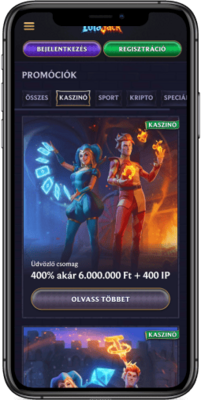
Mobile browsing can also make promotional conditions easy to overlook. A banner may show a headline amount while the full offer includes a qualifying deposit, wagering deadline, maximum bet, withdrawal cap or eligibility restriction. Campaign rules can override general bonus terms, and separate pages may display different offers. Read the complete conditions before opting in, and save a copy or screenshot only for your own reference; the live terms remain the relevant source if they change.
Connectivity is another practical limitation. A weak signal can interrupt a live session, submit a request twice or leave a page appearing unfinished. Do not repeatedly press a payment or withdrawal button when the result is unclear. First check the account history, email confirmation or support channel. Avoid using public Wi-Fi for account access, especially when entering passwords, identity information or payment details.
What is a sensible mobile browsing routine?
Use a short routine each time you investigate a new operator. First confirm the exact domain and read the terms. Then check whether the site clearly states its age requirement, account rules, verification process and support route. After that, review the mobile display itself: can you read the conditions, return to the homepage and find account controls without being forced through promotional screens?
- Check the domain: distinguish the operator’s site from similarly named guides and promotional pages.
- Read before opting in: review the full promotion rules, including deadlines and withdrawal restrictions.
- Confirm account-specific details: use the cashier and logged-in pages for available methods and limits.
- Protect the device: use updates, a screen lock and unique login credentials.
- Keep evidence: retain relevant confirmation messages and support correspondence if a question arises.
Finish by deciding whether the mobile experience gives you enough information to proceed confidently. If licensing, New Zealand availability, an app, payment access or a particular promotion is not clearly established, treat it as unconfirmed rather than filling the gap with assumptions. Convenience is useful, but it should not replace careful reading or independent checks.
Mobile browsing questions answered
Is a mobile casino app necessary?
No. A responsive browser website may provide mobile access without an installation. The reviewed material does not verify a native application, so do not download similarly named apps from unofficial sources. If an app is offered, confirm that its store listing is linked directly from the operator’s verified website and matches the published domain.
Can a mobile page confirm availability in New Zealand?
Not by itself. A page may be accessible from New Zealand while particular products, payment methods, promotions or account services remain unavailable. Check the current terms, eligibility wording and the account-specific cashier. Do not infer licensing or guaranteed access solely from local language, a New Zealand banner or the ability to open a webpage.
What should you do if mobile login stops working?
Do not create a second account to bypass the problem. Check the address, use the published account-support or recovery route, and contact the operator through its stated support details. Keep your registered email and contact information current. If identity checks are pending, ask support what information is required before sending documents.
